


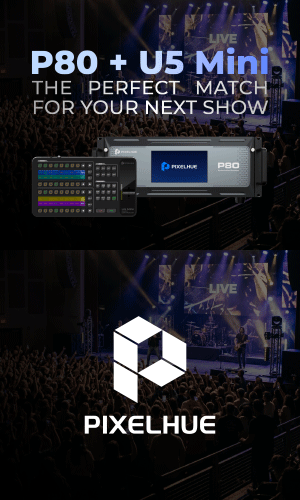
Pixelhue P80 + U5 Mini
Bring Powerful Switching and Intuitive Control Together

Live productions rarely stand still. From corporate events and exhibition stages to product launches, concerts and multi-screen productions, every show brings a different combination of sources, displays, layouts and operational demands.As productions grow in scale and complexity, operators need more than processing power alone. They also need a control experience that keeps the workflow clear, responsive and close at hand.
This is where the combination of the P80 — 4K Presentation Switcher and the new U5 Mini Swift Event Controllercomes into play. Together, they bring high-capacity presentation switching and compact hands-on operation into one connected PIXELHUE workflow — a pairing designed for the changing demands of modern live production.

Built for Bigger Visual Ideas Positioned between PIXELHUE’s compact P Series solutions and the flagship Q8platform, P80 is designed for medium-to-large productions where more sources, more displays and more complex visual structures come into play.
P80 provides 16 fixed inputs together with six switchable-format inputs, giving operators extensive connectivity for demanding event environments.
Its output architecture supports up to eight screen systems, with Main and Flex outputs providing the flexibility to build different visual structures across a production.
For projects that need to grow further, LINK enables multiple P80 units to share 4K sources, allowing the system to scale with increasingly complex production requirements. Genlock, SDI Matrix, multi-preview capabilities and long-distance 10G optical connectivity further extend its role across professional live event workflows.

The result is a presentation switcher built not around one fixedapplication, but around the flexibility required by changing show environments.
Put the Show at Your Fingertips While P80 provides the switching capability behindthe production, U5 Mini bringsthat workflow directly to the operator.
Introduced in 2026, U5 Mini extends PIXELHUE’s U Series into a much more compact form. Designed to fit easily into mobile production environments, its backpack-size footprint makes professional hardware control more accessible for rental teams, freelancers and operators working with limited control space.
Its 66 function-labelled buttons can be customized around different show requirements, while two 7-inch LCD displays provide dynamic labels corresponding directly to the physical controls below. Eight customizable FN keys, three-color button backlighting and T-Bar or Fader versions give operators further flexibility to shape the surface around the way they prefer to work.

Through PixelFlow, button functions, commands, presets and control layouts can be prepared around the need sofa production and translated into hands-on operation on U5 Mini.
Built-in Companion compatibility further extends the possibilities within a PIXELHUE-centered production setup.
One Workflow, From Preparation to Performance
The real value of P80 and U5 Mini lies not simply in what each product can do independently, but in how they work together.
A production can be prepared in PixelFlow, structured around the switching and display capabilities of P80, and then brought into a physical control layout on U5 Mini for rehearsal and live operation.
From recalling presets and changing layouts to accessing frequently used show actions, operators can keep essential controls within immediate reach while P80 manages the visual system behind them.
It reflects a broader direction across the PIXELHUE ecosystem: products designed not as isolated pieces of hardware, but as connected parts of a production workflow.
For the next corporate event, exhibition stage, product launch, concert or multi-screen production, the right combination is not simply about having more technology. It is about putting processing and control together in a way that works naturally around the show.

P80 + U5 Mini. The Perfect Match for Your Next Show.
For more information, click www.pixelhue.com


.jpg)

Comments